
Anúncios
You’ll learn practical steps to make your products run predictably in real conditions. This section explains how architecture, coding practices, testing, SRE, and operations work together to raise uptime and trust.
Reliable systems cut downtime, protect brand reputation, and lower incident costs. In embedded or remote contexts — like deep-sea, arctic, and space devices — these choices are vital because fixes can be impossible on site.
We define reliability in clear, measurable terms so you can track progress. You’ll get patterns that scale from small services to large systems and help standardize success across teams.
Key benefits include faster recovery, fewer repeat incidents, and better software quality that supports long-term business goals. Read on to build these behaviors into your workflows from day one.
What Software Reliability Means Today and Why It Matters
Start with a practical definition: reliable systems keep running without failure for a defined period in a known environment. That clear metric helps you set goals that match a mobile app, a cloud service, or an embedded device.
Anúncios
Perceived reliability shapes whether users trust your product. Even technically correct code can feel flaky if behavior doesn’t match expectations. When users hit surprises, trust falls fast and complaints rise.
Defining performance over time and environment
Measure probability of failure-free operation over a set time and context. This separates transient glitches from systemic failures so you can focus fixes where they matter.
How perception affects user experience
“Consistent behavior beats occasional perfection when users judge a product.”
Anúncios
- Align targets to cloud, on-prem, or constrained devices.
- Translate metrics into user outcomes: faster tasks, fewer retries.
- Create shared language across teams to reduce ambiguity.
The Business Impact of Reliable Software
An outage can cost far more than missed transactions — it reshapes customer perception and market position. You’ll see how minutes of downtime scale into six-figure hits and long-term losses that affect pricing power and growth.
Downtime, lost revenue, and brand damage
Gartner estimates downtime can cost about $5,600 per minute, and some enterprise hours top $100,000. These numbers include lost sales, failed transactions, and surging support costs.
Brief outages also cascade across systems and channels, increasing recovery work and customer complaints.
Customer retention and competitive advantage
Dependable applications keep customers and let you charge for premium service. One major incident can erase years of trust and open the door for rivals.
Retention ties directly to user experience; steady uptime supports market share and long-term value.
Real costs: emergency fixes to maintenance overhead
Maintenance can consume 60–80% of development budgets when fault tolerance is weak. Hidden costs include overtime, crisis communication, and refactors that divert product plans.
- Quantify downtime’s hit: lost transactions and higher support loads.
- Translate outages into churn and price pressure on your business.
- Use reliability data to guide executive decisions on system availability and maintainability.
Measurement and Metrics: MTBF, MTTF, SLIs, and SLOs
Start by measuring what users notice: uptime, delays, and error rates. Clear metrics make trade-offs visible and help you decide when to pause new releases.
Mean time distinctions help you pick the right metric. MTBF applies to repairable systems to estimate expected time between failures. MTTF fits non-repairable contexts and estimates time to a terminal failure.
Service indicators and targets
SLIs are the raw measures: availability percent, latency percentiles, and error rates. SLOs set the targets you must meet to keep customers happy.
Error budgets as a guardrail
Error budgets quantify allowable downtime. Use them to make release decisions objective: stop shipping if the budget is exhausted and focus on fixes.
- Differentiate MTBF vs. MTTF for the right mean time view.
- Define SLIs that reflect customer experience and map to SLOs.
- Visualize SLI trends on dashboards to speed response before users notice impact.
- Connect testing and observability signals so preproduction predicts in-production results.
Core Architecture and Design Behaviors That Improve Reliability
Good architecture isolates faults so one component’s problem doesn’t topple the whole system.
Modularity and separation of concerns make that possible. You create clear module boundaries so an error in one area can’t cascade through the entire application.
Graceful degradation keeps the core paths running when load spikes or partial failures occur. Nonessential features shed load first so users keep the critical experience.
Redundancy and avoiding single points of failure
Design redundancy and use load balancing to eliminate single points of failure. Pick patterns that fit your infrastructure and services footprint, from active/active clusters to regional failover.
Designing for your target environment
Align choices to cloud regions, latency, bandwidth, and device constraints. Higher availability targets force trade-offs—availability vs. consistency grows more complex as you add extra nines.
- Architect with modular boundaries so failures are contained.
- Implement graceful degradation to protect core flows under stress.
- Build redundancy and load balancing suited to your infrastructure.
- Adopt fail-safe defaults that protect data and safety in partial failure.
- Evaluate availability versus consistency explicitly when designing the system.
- Plan capacity headroom and backpressure early to preserve performance.
“Designing for failure is not pessimism — it’s planning for predictable recovery.”
Testing Strategies That Catch Reliability Issues Early
A layered test strategy helps you find flaws before they reach production. Start with small, fast checks and grow coverage to mimic real use. That approach saves time and prevents last-minute firefighting.
Functional and regression testing
Validate key features end-to-end so workflows remain intact as you change code. Use regression suites to lock down behavior and prevent repeat issues when you ship updates.
Performance and stress testing
Run load and stress scenarios to measure response time, throughput, and resource use. These tests reveal memory leaks, CPU hotspots, and deadlocks before users see them.
Security and usability testing
Include security checks for injection, XSS, and auth bypass to prevent vulnerabilities from degrading availability. Pair that with usability tests to reduce user errors and friction during critical tasks.
Automated suites vs. manual and UAT
Automated pipelines give fast, repeatable coverage across the application. Manual exploratory testing catches surprising edge cases. Align UAT with realistic user patterns to validate acceptance criteria.
- Layered testing validates features end-to-end and keeps regression safety nets as the product evolves.
- You’ll run performance and stress tests to expose bottlenecks under peak load.
- Integrate security scans and usability checks to reduce incidents caused by vulnerabilities or user error.
- Balance automated suites for scale with exploratory sessions to find hidden issues.
Connect test outcomes to your metrics so you can prove that broader coverage reduces incidents and speeds recovery, improving overall reliability.
Code Quality Practices That Build Reliable Software
Strong coding habits cut defects long before they reach production. You can reduce unexpected downtime and speed fixes by combining standards, tests, and careful reviews.
Code reviews should follow a checklist that includes style, security, and dependency checks. Gate merges with regression tests so broken paths never reach the main branch. Pairing or ensemble sessions act as live review and spread knowledge across developers.
Tests as design and clarity
Use TDD and BDD to capture intent in executable form. That makes requirements clear and reduces defects caused by misinterpretation. When tests express behavior, refactors stay safe and predictable.
Defensive coding and input controls
Practice defensive coding by asserting module contracts, adding timeouts, and fixing third-party versions. Enforce input validation across boundaries to stop bad data from causing cascading failure or security gaps.
- Code reviews: clear standards and focused refactoring lower defect density.
- TDD/BDD: make requirements executable so developers deliver what users need.
- Defensive coding: assertions, strict interfaces, and timeouts localize problems.
- Input validation: block malformed data and reduce downstream errors.
- Version control & docs: lock dependencies, track changes, and record decisions so teams can maintain pace safely.
– code: 3
– software: 2
– developers: 2
– input validation: 2
– failure: 1
– software development: 1
– reliability: 2
– teams: 1
Requirements and Design Reviews: Preventing Reliability Issues Upfront
Clear requirements stop guesswork and keep teams aligned before a single line of code is written.
Adopt a shared, version-controlled language for requirements so your development teams and stakeholders work from a single source of truth.
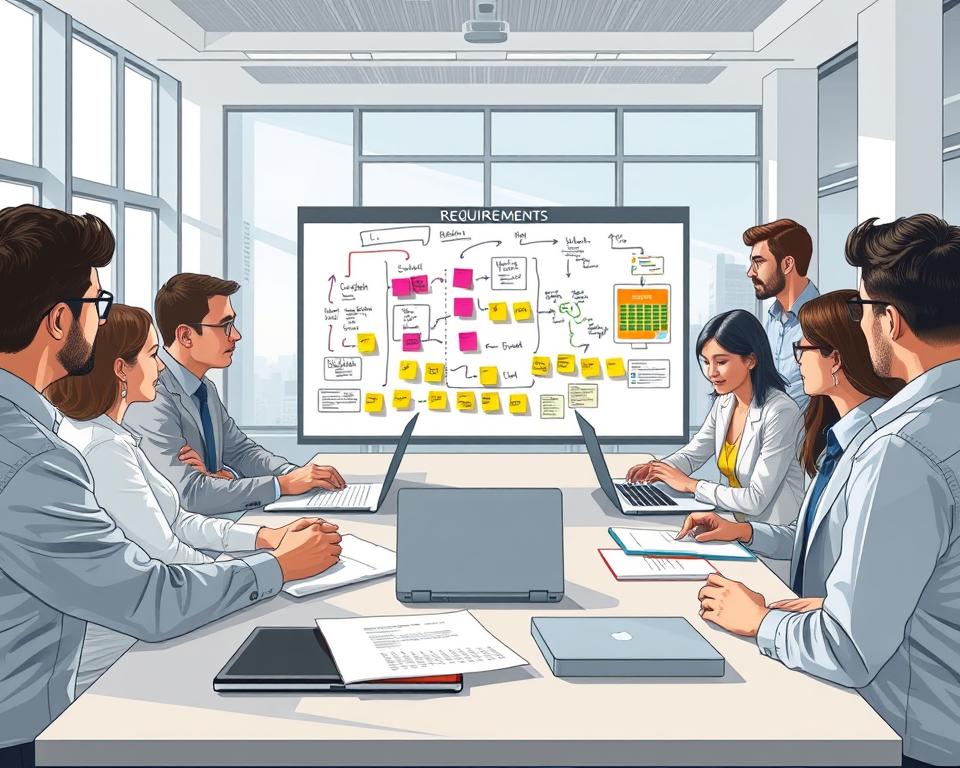
Clarifying requirements in a shared, version-controlled language
Use BDD-style examples to make intent explicit. When examples live in version control, you prevent ambiguity as changes occur.
Executable examples also act as living documentation. They make acceptance criteria testable and reduce surprises during integration.
Design reviews that surface unintended interactions and performance risks
Run structured design sessions that focus on interfaces, data flow, and load assumptions. These reviews reveal cross-component interactions and early performance risks.
- Keep traceability from requirement to test to deployment for auditability.
- Connect each requirement to measurable outcomes so you track post-release signals.
- Feed incident learnings back into requirements and design to close gaps.
Result: fewer costly issues in production and clearer accountability across teams.
Risk Assessment Behaviors and Failure Mode Analysis
Run routine risk checks so product decisions rest on data, not assumptions. You’ll keep risk visible as requirements, code, and usage change.
Product and project risk assessments should be recurring. Review defect counts, mean time to failure, and performance regressions after major milestones and on a regular cadence.
Assess risk across the lifecycle
Make reviews lightweight but frequent so risk ratings evolve with real signals. Use metrics to move debates from opinion to fact.
Applying FMEA—and knowing its limits
FMEA maps likely failure mode paths and their effects. It helps teams prioritize mitigations, but it can create false security if used alone.
“Formal analysis finds known risks; it won’t reveal unknown unknowns.”
- You’ll schedule recurring product and project assessments that adapt as systems change.
- You’ll apply FMEA to highlight probable failure modes and prioritize fixes.
- You’ll use defect trends, time-to-failure, and performance data to quantify risk.
- You’ll add diverse reviews—field ops, QA, design—to surface blind spots.
- You’ll match scrutiny to context, raising oversight for safety-critical products.
Result: clearer understanding of real exposure and faster action when problems appear.
Fault Recovery Behaviors: Segmentation, Watchdogs, and Updates
Keep the parts that matter running when the rest of the product slips. Design for isolation so faults don’t cascade and critical services stay available.
Isolating failures so critical services continue safely
Segment modules and enforce clear interfaces. If one module suffers a failure, the system should confine the problem and protect safety functions.
Watchdog strategies for hung threads and timeouts
Use watchdog timers, health checks, and graceful timeouts to detect hangs. Trigger controlled restarts or circuit breakers rather than allowing thrash.
Planning safe updates for inaccessible or embedded devices
Plan remote updates with integrity checks and tested rollback paths. For devices in labs, desert sites, or underwater, you must validate updates before wide rollout.
“Design recovery to be predictable — so response beats surprise.”
- Design segmentation so a failure in one module won’t compromise critical services.
- Implement watchdog timers and health checks to detect hangs and trigger controlled recovery.
- Define timeouts, retries, and circuit breakers to restore service without data loss.
- Plan robust over-the-air updates with rollback and integrity validation for inaccessible infrastructure.
- Test recovery under fault injection and measure recovery performance to confirm quick response.
Site Reliability Engineering and DevOps Practices That Improve Reliability
Shift your view: monitoring isn’t an afterthought but a core development practice. When you define SLIs first, features ship with health signals built in. That makes troubleshooting faster and gives your teams real data to drive decisions.
Monitoring-driven development means you design metrics and alerts alongside code. Start with SLOs, use error budgets to balance new work, and make health endpoints standard for every service.
Monitoring-driven development and proactive incident response
Operationalize incident response with clear ownership and runbooks. Fast escalation paths and rehearsed playbooks cut user impact and speed recovery.
Capacity planning and scaling for expected and unexpected load
Plan capacity with realistic traffic models and run scale exercises. Test spikes, autoscaling, and graceful degradation so your systems handle sudden demand without cascading failures.
Blameless postmortems that turn failures into durable improvements
Run blameless postmortems to capture root causes and to produce prioritized fixes. Focus on systemic changes, document follow-ups, and hold teams accountable for implementation—not blame.
- You’ll build SLIs and error budgets before feature rollout to guide release cadence.
- You’ll maintain runbooks and fast response playbooks for incident teams.
- You’ll exercise capacity plans and validate scaling behavior under stress.
- You’ll convert incidents into tracked fixes via blameless review and clear owners.
- You’ll align DevOps automation with SRE guardrails so delivery speed matches durability.
Result: better uptime for your services, clearer post-incident learning for your teams, and practical tools that help you improve reliability across systems and product lines.
Monitoring, Observability, and Maintenance Behaviors
Monitor your system continuously so small anomalies become early warnings, not outages. Use dashboards, APM, traces, and log analysis together to make the invisible visible in real time.
Real-time dashboards and alerting give you quick insight into performance and availability. Tune alerts to reduce noise and only wake on actionable signals.
Real-time dashboards, alerting, and log analysis for early signals
Correlate metrics, logs, and traces so you can predict failures and fix root causes before users notice. Centralize logs for fast searches and long-term trend analysis.
Release gates, regression checks, and change management discipline
Enforce release gates with automated regression testing and staged rollouts. CI/CD pipelines with approvals, feature flags, and canary releases protect production services from unexpected drift.
Disaster recovery planning and backup validation over time
Define RPO and RTO targets, and validate backups regularly. Practice restores on a schedule so recovery plans work when it counts.
“Observability is the difference between guessing and knowing what broke.”
- Build metrics, logs, and traces that reveal system behavior in real time.
- Tune alerts to prioritize action and cut noise for on-call teams.
- Enforce release gates, regression checks, and disciplined change management.
- Test DR plans and prove backups restore cleanly over time.
- Track patching, certificate rotation, and dependency updates to sustain reliability between releases.
Compliance, Standards, and Assurance for Reliable Software
Standards give you a repeatable framework to prove product quality and manage risk. Use them to make assurance part of daily work, not a final gate. Standards help you trace decisions and show evidence during audits.
Applying ISO models and sector regulations
Map ISO/IEC 25010 into tangible checks: test criteria, maintainability reviews, and acceptance gates. In regulated domains, follow FDA, FAA, NIST, SOX, and NASA guidance to embed safety and performance controls.
Integrating compliance with development
Integrate assurance early: add TIR45-style evidence to your pipelines so audits reinforce, not block, delivery. Compliance alone won’t guarantee success, but it strengthens documentation, traceability, and risk treatment.
- Map frameworks to engineering practices for clear testable outcomes.
- Shift assurance left so development teams produce auditable artifacts continuously.
- Study reference cases from aviation, healthcare, and space to adopt proven patterns for high-stakes product work.
- Align security controls with availability so protections support uptime and performance.
“Standards turn uncertainty into a set of repeatable, verifiable actions.”
software reliability behaviors in Action: Lessons from Successes and Failures
High-profile cases reveal simple fixes and costly oversights your team can act on now.
From aviation to finance, the examples are stark. Boeing’s 737 MAX failures show how design and process gaps can produce catastrophic outcomes. Knight Capital’s $440M loss in 45 minutes proves a single deployment error can erase trust and cash.
What aviation, healthcare, finance, and hyperscalers teach your team
Look to Target and Healthcare.gov for launch failures that came from poor testing and unclear rollouts. Contrast that with Amazon and Google, which use distributed design and culture to keep uptime high over years.
- Draw points from safety-critical cases to prioritize checks and oversight.
- Use finance examples to build kill switches and hardened deploy plans.
- Adopt hyperscaler patterns—distributed services, canaries, and blameless postmortems.
Designing for user mistakes: clear errors, fail-safe defaults, and accessibility
Clear, actionable error messages and fail-safe defaults protect users and business outcomes. Expedia’s removal of one confusing field grew revenue by $12M—UX fixes pay.
Practical playbook: run post-incident audits, add kill switches, test rollbacks, and simplify user flows. For an aeronautics case study and deeper process guidance, see this reference.
Conclusion
Make small, repeatable habits the engine that preserves user trust over years.
You’ll leave with practical insights to weave reliability into every stage of software development—from clear requirements to steady production operation.
Align your team around SLOs, error budgets, robust tests, and blameless postmortems so releases balance features with uptime. These steps protect your product and your business.
Prioritize next moves: define SLIs, close observability gaps, harden test suites, and standardize post-incident learning. Treat architecture, code quality, and ops as one system.
Result: measurable progress you can track each release, repeated habits that build trust, and lasting improvements you can sustain for years.